
Screenshots

App details
- Version
- 8.0
- Size
- 3.22 MB
- Updated
- July 4, 2024
- Requires
- Windows 11
- Language
- English | Spanish
- License
- Full
- Developer
- Internet-history-eraser.com
- Category
- Windows OS
SoftPas in:
This product is also available in the following languages:
About Internet History Eraser
Download Internet History Eraser – Secure One‑Click Privacy Cleaner
Overview
In an era where every click, search query, and streamed video can be harvested and stored, maintaining online privacy has become a daily challenge. Internet History Eraser steps in as a dedicated privacy‑focused tool that promises to wipe every trace of your internet activity with a single, effortless click. Designed for both novice users and seasoned tech enthusiasts, the software offers a comprehensive cleanup suite that goes far beyond simple browser cache deletion. It reaches into popular multimedia players, office suites, compression tools, and even PDF readers to ensure that no residual files or logs linger on your hard drive. What sets it apart is its multi‑layered approach: a fast one‑click erase for everyday privacy, and a secure erase option that overwrites files multiple times, meeting the standards of data‑destruction experts. Additional features such as hard‑disk free‑space cleaning, scheduled erasing, stealth mode, and a boss‑key shortcut make it a versatile solution for anyone who wants to protect their digital footprint without sacrificing convenience. Whether you are using Windows, macOS, Android, or iOS, Internet History Eraser adapts to your operating system, delivering a consistent, reliable experience across platforms. The software is free to download, continuously updated, and supported by a range of optional plugins that expand its reach to applications like RealPlayer, QuickTime, Microsoft Office, WinZip, Acrobat, and many more. In short, it combines the power of a full‑scale system cleaner with the simplicity of a single‑button operation, giving you peace of mind every time you go online.
Key Features and Capabilities
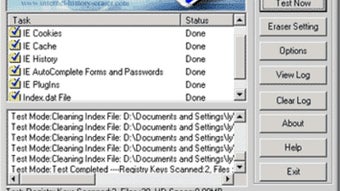
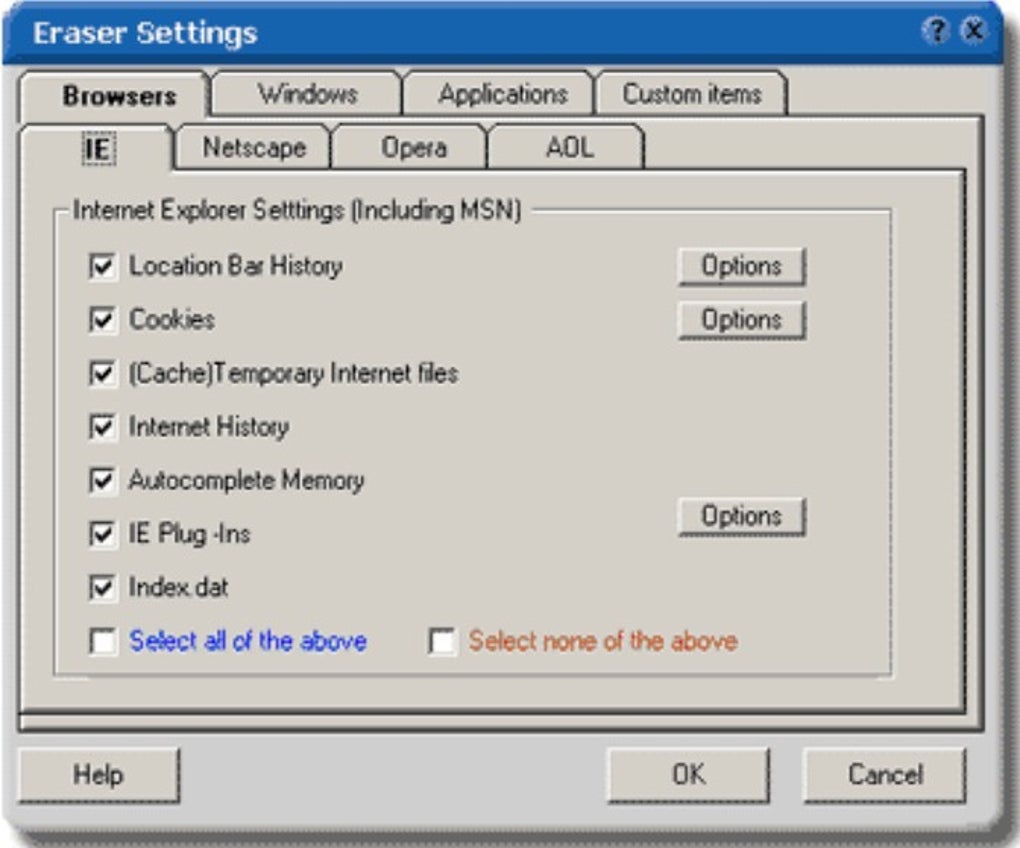
- One‑Click Complete Erase: Instantly wipes browser history, cookies, cache, download logs, and recent file lists from all installed browsers.
- Secure Overwrite: Uses multiple overwrite passes (up to 35 passes) to permanently destroy sensitive files, meeting DoD‑level data sanitization standards.
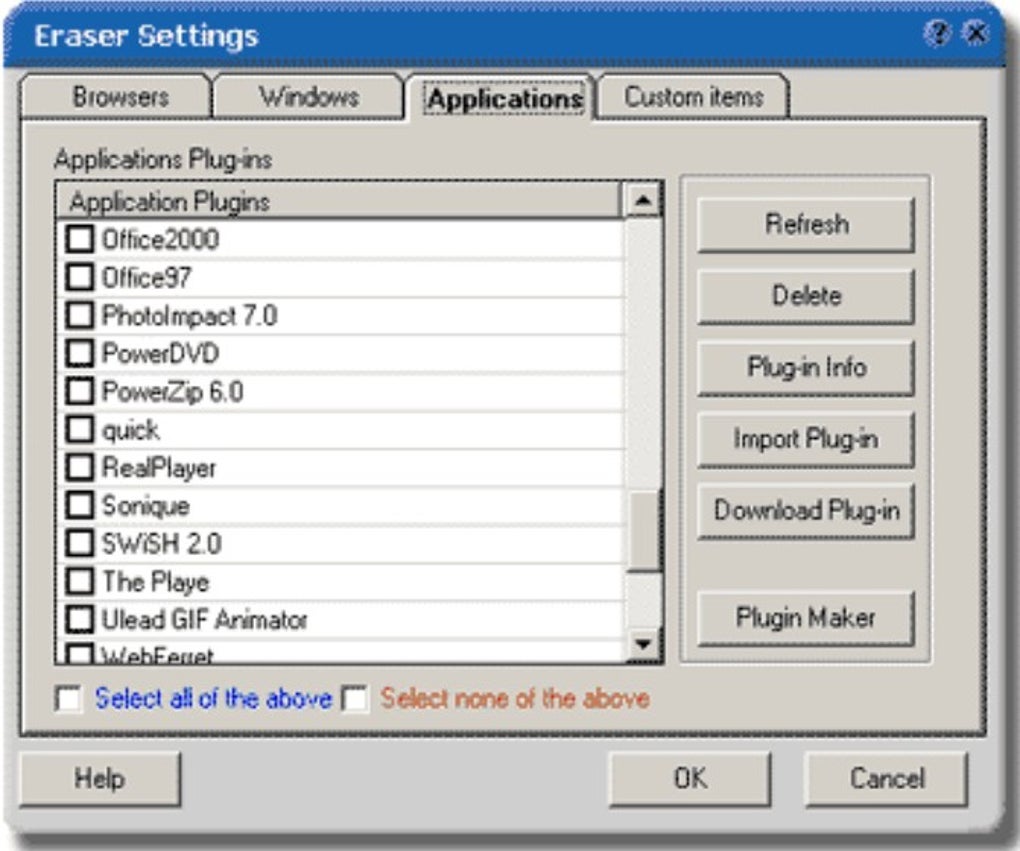
- Extended Application Support: Free plugins add cleaning power for RealPlayer, Media Player, DivX Player, QuickTime, Microsoft Office, WinZip, Acrobat, and many other popular programs.
- Hard‑Disk Free Space Cleaning: Overwrites free disk space to prevent data recovery tools from reconstructing deleted information.
- Custom Erase Options: Users can select specific items—such as recent documents, clipboard contents, or system logs—to delete individually.
- Homepage Protection: Locks your browser’s homepage to prevent unauthorized changes by malicious software.
- Boss Key Functionality: Instantly hide the application with a configurable shortcut, perfect for discreet usage in public or work environments.
- Disk Space Optimization: Analyzes and removes unnecessary files, freeing up valuable storage without compromising system stability.
- Scheduled Erasing: Automate clean‑ups on a daily, weekly, or monthly basis to maintain a continuously clean system.
- Stealth Mode Operation: Runs silently in the background, leaving no visible traces while it works.
- Preview Before Erasing: Review the exact items slated for removal, ensuring nothing important is accidentally deleted.
Installation, Usage Instructions & Compatibility
Getting started with Internet History Eraser is straightforward. The installer is a lightweight .exe for Windows or a .dmg for macOS, and separate APK files are available for Android devices. Follow these steps to install and configure the tool:
- Download the appropriate installer: Choose the version that matches your operating system from the official website.
- Run the installer: On Windows, double‑click the
.exefile and follow the on‑screen prompts. macOS users drag the application icon into the Applications folder. - Grant required permissions: The software needs access to system folders and browser data. Accept the permission requests to ensure full functionality.
- Configure settings: Open the main interface, select the “Preferences” tab, and tailor options such as the number of overwrite passes, scheduled clean‑up times, and which plugins to enable.
- Perform a test run: Use the “Preview” button to see a list of items that will be erased. This step helps you verify that no essential files are mistakenly targeted.
- Execute the erase: Click the prominent “Erase Now” button for an immediate clean‑up, or enable the “Scheduled Erase” option for automatic future cleanings.
Compatibility: Internet History Eraser supports Windows 10, Windows 11, and Windows Server editions; macOS 10.13 (High Sierra) and newer; Android 5.0 (Lollipop) and later; as well as iOS 11 and newer for the mobile companion app. The tool automatically detects installed browsers (Chrome, Firefox, Edge, Safari, Opera) and adapts its cleaning routines accordingly.
The user interface follows a clean, modern design that scales well on high‑resolution displays. For power users, a command‑line interface (CLI) is available on Windows and macOS, allowing integration with scripts and enterprise management tools. All updates are delivered through a secure HTTPS channel, ensuring that you always have the latest protection without manual intervention.
Pros, Cons, Frequently Asked Questions & Final Verdict
Pros
- One‑click operation makes privacy cleanup effortless.
- Secure overwrite meets industry‑grade data destruction standards.
- Extensive plugin library expands cleaning coverage to many popular applications.
- Free to download and use, with optional premium plugins for advanced needs.
- Scheduled and stealth modes cater to both casual and professional users.
- Cross‑platform support (Windows, macOS, Android, iOS) ensures consistent protection.
Cons
- Advanced features (e.g., multi‑pass secure erase) may slow down older hardware.
- Mobile version lacks some desktop‑only plugins.
- Initial setup requires granting extensive system permissions, which can be unsettling for very privacy‑conscious users.
Frequently Asked Questions
Is Internet History Eraser really free?
Yes, the core application is completely free. Optional plugins for specific third‑party programs may have a small one‑time fee, but the essential privacy cleaning features are available at no cost.
Will the tool delete important files by mistake?
The software includes a preview mode that lists exactly what will be removed before any action is taken. As long as you review this list, the risk of accidental deletion is minimal.
How does the secure overwrite work?
Secure overwrite rewrites the target files with random data multiple times (you can choose 1‑35 passes). This makes data recovery virtually impossible, even with forensic tools.
Can I schedule automatic clean‑ups?
Yes, the application includes a built‑in scheduler. You can set daily, weekly, or monthly clean‑ups, and even specify the time of day when the process should run.
Is the software safe from malware?
Internet History Eraser is digitally signed and distributed via a secure HTTPS connection. Regular updates include security patches, ensuring the tool itself remains free of malicious code.
Conclusion & Call to Action
For anyone who values digital privacy but doesn’t want to spend hours navigating through multiple settings, Internet History Eraser delivers a balanced blend of simplicity and power. Its one‑click erasing, coupled with advanced secure‑wipe options, provides peace of mind whether you’re browsing on a Windows PC at work or streaming videos on an Android tablet at home. The free core version already covers the most common privacy concerns, while the optional plugins let power users extend protection to niche applications. Although the secure overwrite may tax older machines and the mobile app lacks a few desktop‑only features, these drawbacks are outweighed by the overall robustness and ease of use.
Ready to take control of your online footprints? Download Internet History Eraser now and start protecting your privacy with a single click. Keep your system clean, your data safe, and your browsing history truly private.
Rating: 4.5/5 – A reliable, user‑friendly privacy tool with comprehensive cleaning capabilities.
Guides & Tutorials
How to install Internet History Eraser
- Click the Download button above.
- Once redirected, accept the terms and click Install.
- Wait for the Internet History Eraser download to finish on your device.
How to use Internet History Eraser
This software is primarily used for its core features described above. Open the app after installation to explore its capabilities.
User Reviews
No reviews yet. Be the first to share your experience.
You may also like
more
Llama 2
Free-to-use large language model As the new addition to Meta’s arsenal of langua...

NotebookLM
Revolutionizing the note-taking and idea-generation process NotebookLM is an exp...

Github co pilot
AI-inspired software development and coding platform GitHub Copilot is a browser...

Google Gemma
Google’s lightweight AI models Introducing Google Gemma , a family of cutting-ed...

AI Image Enlarger
A free app for Windows, by ai-image-larger. AI Image Enlarger is a free software...

DALL E
AI-driven text-to-image transformation engine DALL·E is a free graphic and desig...